
🌍 Why Automation Matters — Especially for Non-Technical Professionals
We live in an age where digital tools are supposed to simplify our work — yet somehow, we end up doing more. Between CRMs, spreadsheets, analytics dashboards, emails, and social media platforms, most professionals spend hours each week just moving data from one place to another.
That’s the problem automation was built to solve.
Tools like Zapier, Make (Integromat), and Power Automate let you connect your favorite apps so they talk to each other — without writing a single line of code. You simply define triggers like:
“When this happens, do that.”
Imagine:
- When a new client fills out your form, they’re automatically added to your CRM.
- When a sale closes, a thank-you email goes out instantly.
- When you upload a file, your team is notified on Slack and the data logs in Google Sheets.
It’s like hiring a digital assistant who never sleeps and never makes mistakes.
⚙️ The Tools That Make It Happen
Among all automation tools, Zapier stands out for its simplicity and versatility. It connects over 7,000+ apps, from Google Workspace and HubSpot to OpenAI and Salesforce.
Here’s why professionals love it:
✅ No code required — just drag, drop, and connect.
✅ Multi-step workflows — one trigger can power several actions.
✅ Conditional logic — run different actions depending on the data.
✅ Webhooks and APIs — connect custom systems and databases.
For non-technical users, Zapier becomes the “digital glue” that ties all your apps together — automating tasks you didn’t even realize were slowing you down.

🧩 Case Study #1 — CRM Data Synchronization
Problem:
A consulting firm used HubSpot as their CRM and also maintains a legacy tool built on SQL Server for analytics. Updating both manually was tedious and error-prone.
Solution:
Using Zapier’s Webhooks, I created a two-way sync between HubSpot and SQL Server. Whenever a record updated in HubSpot, the Zap automatically sent it to the database, and vice versa.
Outcome:
Manual data entry dropped to zero. Reports updated in real time. The team reclaimed 5+ hours a week and improved data accuracy across the board.
🏃 Case Study #2 — Personal Productivity: The Smart Running Scheduler
Problem:
A client training for a marathon wanted to plan runs for the week based on actual weather, not guesswork.
Solution:
Zapier checked the Weather API each morning. If the forecast looked good (no rain, moderate temperature), it automatically added a “Morning Run” to the client’s Google Calendar.
Outcome:
A simple automation turned into a sustainable routine. The client never missed an ideal running day — and never wasted time planning workouts manually again.
📈 Case Study #3 — Smarter Email Personalization with GA4
Problem:
A marketing team tracked engagement in Google Analytics 4 (GA4) and wanted to use that data to personalize an outreach campaign.
Solution:
I built a Zap that pulls GA4 events weekly and updates contact records in GoHighLevel. When a contact visited the pricing page multiple times, the CRM tagged them automatically and triggered a personalized email.
Outcome:
The results were immediate:
📈 Email open rates up 28%
📈 Click-through rates up 19%
📈 Follow-ups became smarter and more relevant
🌐 Case Study #4 — Managing Massive Websites Automatically
Problem:
A publisher running a site with over 100,000 pages struggled to keep their XML sitemap updated for SEO. Manual generation took hours each week.
Solution:
Using Zapier’s Scheduler and a Google Cloud Function, I set up a weekly automation that rebuilt and uploaded the sitemap every Sunday night — no human needed.
Outcome:
Search engines always crawl fresh content. The team now sleeps through their weekly “update job,” knowing it runs flawlessly in the background.
✉️ Case Study #5 — Instant Lead Capture and Follow-Up
Problem:
A small business was losing leads because web form responses sat in inboxes for hours — sometimes days.
Solution:
We connected their Typeform submissions to GoHighLevel through Zapier. Each form triggered a personalized welcome email and automatically assigned the lead to a sales rep.
Outcome:
Response times went from hours to seconds. Leads no longer slip through the cracks, and follow-up emails run 24/7 — without a marketing team watching the clock.
🌟 Why Every Professional Should Care About Automation
You don’t need to understand APIs or code to automate your workflow.
If you can describe what you do — step by step — Zapier can probably do it for you.
Automation helps you:
- Eliminate repetitive work.
- Maintain consistency and accuracy.
- Respond instantly to clients and leads.
- Reclaim time for high-value, creative tasks.
Think of automation as the invisible teammate that keeps your business moving while you focus on what really matters.
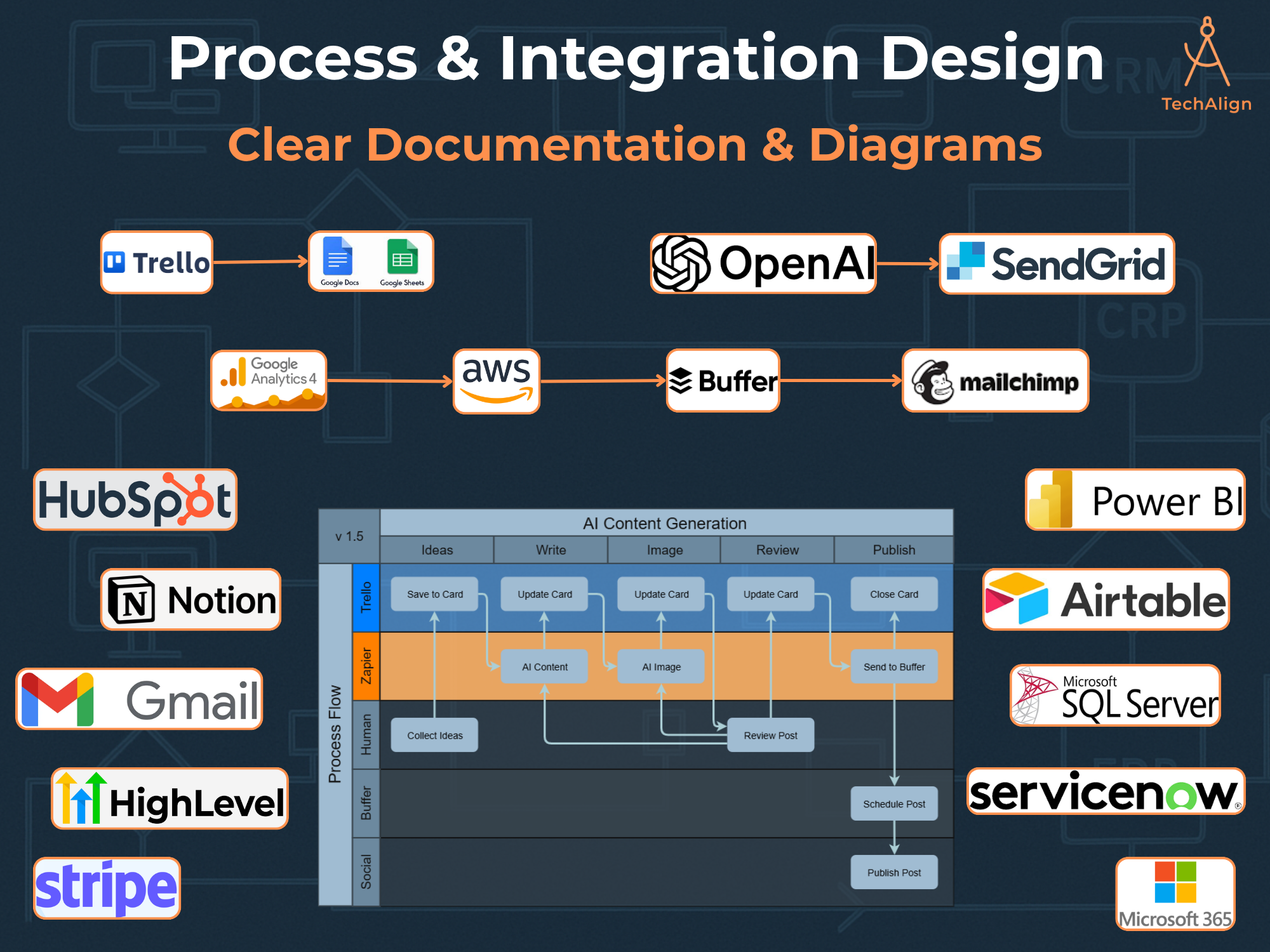
🚀 Getting Started (and Getting Help)
You can start small — even one automated workflow can save hours each week. But the real power comes when multiple automations work together, creating a seamless digital ecosystem.
That’s where I come in.
I help businesses and professionals identify opportunities to automate — then design custom, reliable workflows tailored to your tools and goals.
Here are just a few examples of what I can help you with:
⚙️ CRM & Data Synchronization — HubSpot, GoHighLevel, SQL Server, Airtable
📊 Analytics & Reporting Automations — GA4, Sheets, Power BI
📣 AI-Driven Marketing Workflows — OpenAI + Zapier + Buffer
📬 Lead Capture & Nurturing Systems — Typeform + Email + CRM
🧾 Compliance & DSAR Workflows — automated record deletions & tracking
💼 Ready to Automate Your Workflow?
You can explore my services here:
👉 Fiverr — Zapier Automation & Integration Service
👉 Upwork — AI Powered Social Media Content Automation
Let’s turn your manual tasks into automated, scalable systems — so you can focus on creativity, clients, and growth.
